TODAY

Returns today's date in the selected timezone.
Formula example
TODAY(0;0;0;"UTC")
Inputs
- ➡️ HOUR
- ➡️ MINUTE
- ➡️ SECOND
- ➡️ TIMEZONE
User-friendly reference for Blockspot's no-code formula blocks.
Returns today's date in the selected timezone.
Formula example
TODAY(0;0;0;"UTC")

Builds a Date/DateTime from a date string and time parts (hour/minute/second) in a timezone.
Formula example
DATE("2025-12-22";0;0;0;"UTC")

Checks whether a date falls into a given period/range (e.g., week, this month) using a locale.
Formula example
DATE_IS(dt:end_date ; THIS_WEEK ; "en-GB")

Computes the difference between two dates in a chosen unit.
Formula example
DATE_DIFF(DAY ; dt:start_date ; dt:end_date)

Formats a date into a text representation using a format pattern and locale/timezone.
Formula example
DATE_FORMAT("Y-m-d h:i:s" ; dt:start_date)
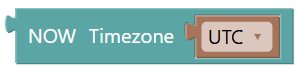
Returns the current date & time in the selected timezone.
Formula example
NOW("UTC")
UI label: NOW Timezone

Extracts a part of a date (year, month, day, hour, …).
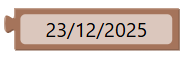
Lets you pick a fixed date value.
Formula example
none
No inputs.

Shifts a date forward/backward by a number of units (days/weeks/months/years).
Formula example
SHIFT_DATE(1 ; -(2) ; 3; dt:end_date)

Moves a date to a chosen weekday, either forward or backward. The strict option controls whether the current date can be returned, and occurrence lets you move to the 1st, 2nd, etc. matching weekday.
Formula example
SHIFT_WEEKDAY("NEXT";1;1;dt:start_date;"en-US";TRUE())
UI label: Local

Returns today's date at midnight in the selected timezone.
Formula example
TODAY("Europe/Paris")
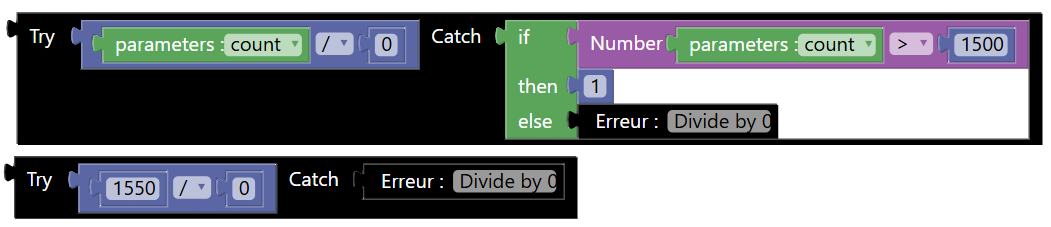
Attempts an expression and returns a fallback value or raise a new error if it raises an error.
Formula example
TRY(n:count / 0;IF(n:count > 1500 ; 1 ; 0))
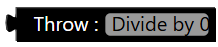
Raises/returns an error value that can be caught by TRY.
Formula example
THROW(\"Divide by 0\")

Checks whether a value is inside a range (inclusive).
Formula example
BETWEEN(3,0,3)

Compares two strings using the selected operator.
Formula example
STR_ENSDWITH("KEYBOARD" ; "BOARD")

Checks whether a date is inside a range (inclusive).
Formula example
BETWEEN(NOW("UTC") ; dt:start_date ; dt:end_date)
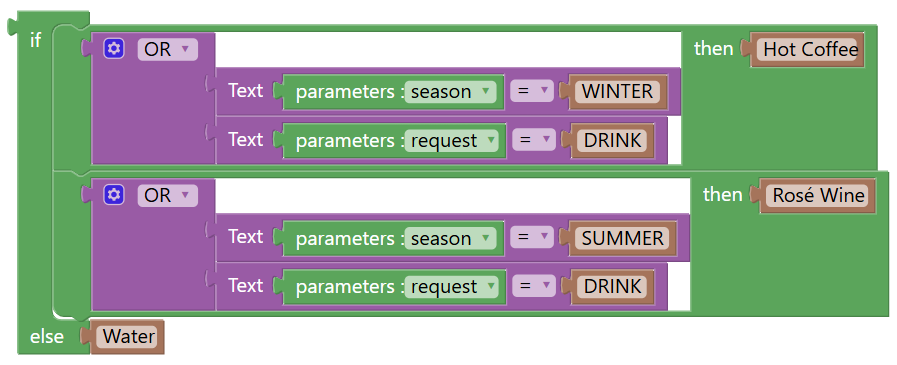
Defines a IF / ELSE IF block with default value.
Formula example
IFELIF( "Water"; [{ OR(STR_EQ(s:season ; "WINTER");STR_EQ(s:request ; "DRINK")) : "Hot Coffee"} ; { OR(STR_EQ(s:season ; "SUMMER");STR_EQ(s:request ; "DRINK")) : "Rosé Wine"}] )
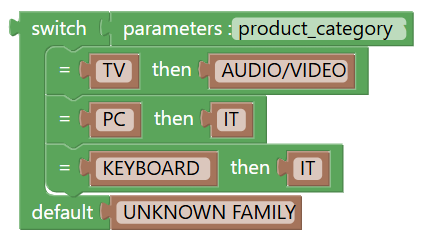
Defines a case branch used inside a SWITCH block.
Formula example
SWITCH(s:product_category;"UNKNOWN FAMILY"; [{ "TV" : "AUDIO/VIDEO"} ; { "PC" : "IT"} ; { "KEYBOARD" : "IT"}])

Compares two dates using the selected operator .
Formula example
DATE_EQ(dt:start_date ; dt:end_date)
UI label: Date
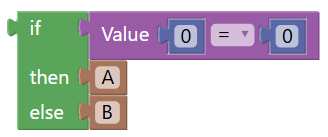
Returns one of two values depending on a condition (IF condition THEN value ELSE value).
Formula example
IF(0 = 0 ; "A" ; "B")

Checks whether a boolean is TRUE or FALSE.
Formula example
ISTRUE(TRUE())
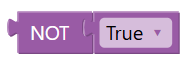
Inverts a boolean value (TRUE becomes FALSE, FALSE becomes TRUE).
Formula example
NOT(TRUE())
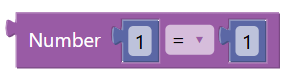
Compares two numbers using the selected operator (>, <,=, etc.).
Formula example
0 = 0
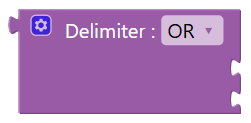
Logical operator : OR / AND / XOR
UI label: Delimiter : %1

Performs arithmetic operations [ + , - , / , /i (integer division) , * , % (modulo) ] between numbers.
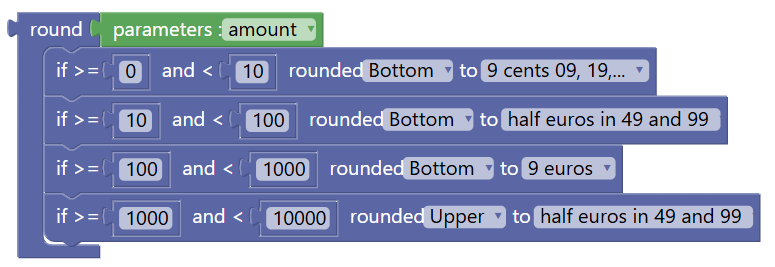
Rounds a number using commercial rounding rules, based on a selected rounding direction and price precision.
Formula example
COMMERCIAL_ROUND(n:amount ; [{ 0 , 10 , BOTTOM , TO_9_CENTS , -1 } ; { 10 , 100 , BOTTOM , TO_HALF_EUROS_IN_49_AND_99 , -1 } ; { 100 , 1000 , BOTTOM , TO_9_EUROS , -1 } ; { 1000 , 10000 , UPPER , TO_HALF_EUROS_IN_49_AND_99 , -1 }])

Parenthesis.
Formula example
10 * (1 + 5)
UI label: ( )
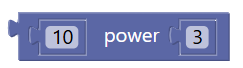
Raises a number to the power of another number.
Formula example
POWER( 10 ; 3)
UI label: power

Generates a random number.
Formula example
RAND(50,150)

Rounds a number to a specified number of decimal places using a selected rounding mode.
Formula example
ROUND(10.34763;2; DOWN)
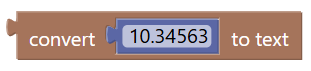
Converts a numeric value into a text representation..
Formula example
CTEXT(10.34563)
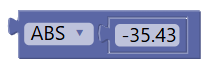
Applies a numeric transformation to a single input value (ABS returns the absolute (positive) value / EVEN return true or false / NEG returns the negated value / ODD return true or false / SQRT returns the square root of the value).
Formula example
ABS(-3)
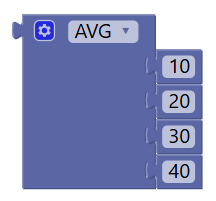
Apply array function MIN / MAX / AVG / SUM / STANDARD DEVIATION / VARIANCE
Formula example
AVG([10;20;30;40])
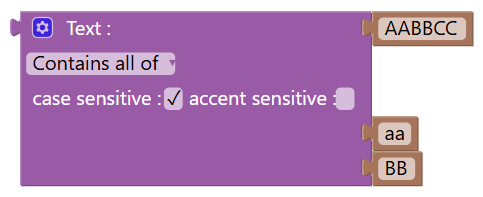
String advanced comparison. Compares two texts using the selected operator. You can specify case and accent sensitive.
Formula example
STRING_IS("AABBCC" ; CONTAINS_ALL_OF ; TRUE() ; FALSE() ; ["aa";"BB"])
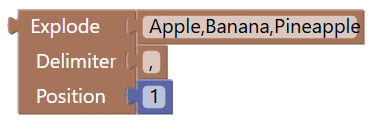
Splits a text into a list using a separator, return the element at Position.
Formula example
EXPLODE("Apple,Banana,Pineapple" ; "," ; 1)

“Applies a text case transformation to the input value.
Formula example
UPPER_CASE("A text string")

Removes HTML tags from a text (optionally keeping some tags).
Formula example
HTML_STRIPTAGS("<p>A <b>Bold</B> Text</p>" ; "")
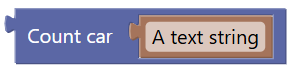
Counts the number of characters in a text.
Formula example
COUNT_CAR("A text string")
UI label: Count car

Replace a string
Formula example
STR_REPLACE("Apple, Banana, Pineapple";"Banana";"Strawberry")

Extracts a portion of text based on a character position and length.
Formula example
STR_EXTRACT("ABCDEF";2;POSITION;2)

Converts a text value into a number, with optional decimal precision.
Formula example
CNUMBER("22.34435";2)